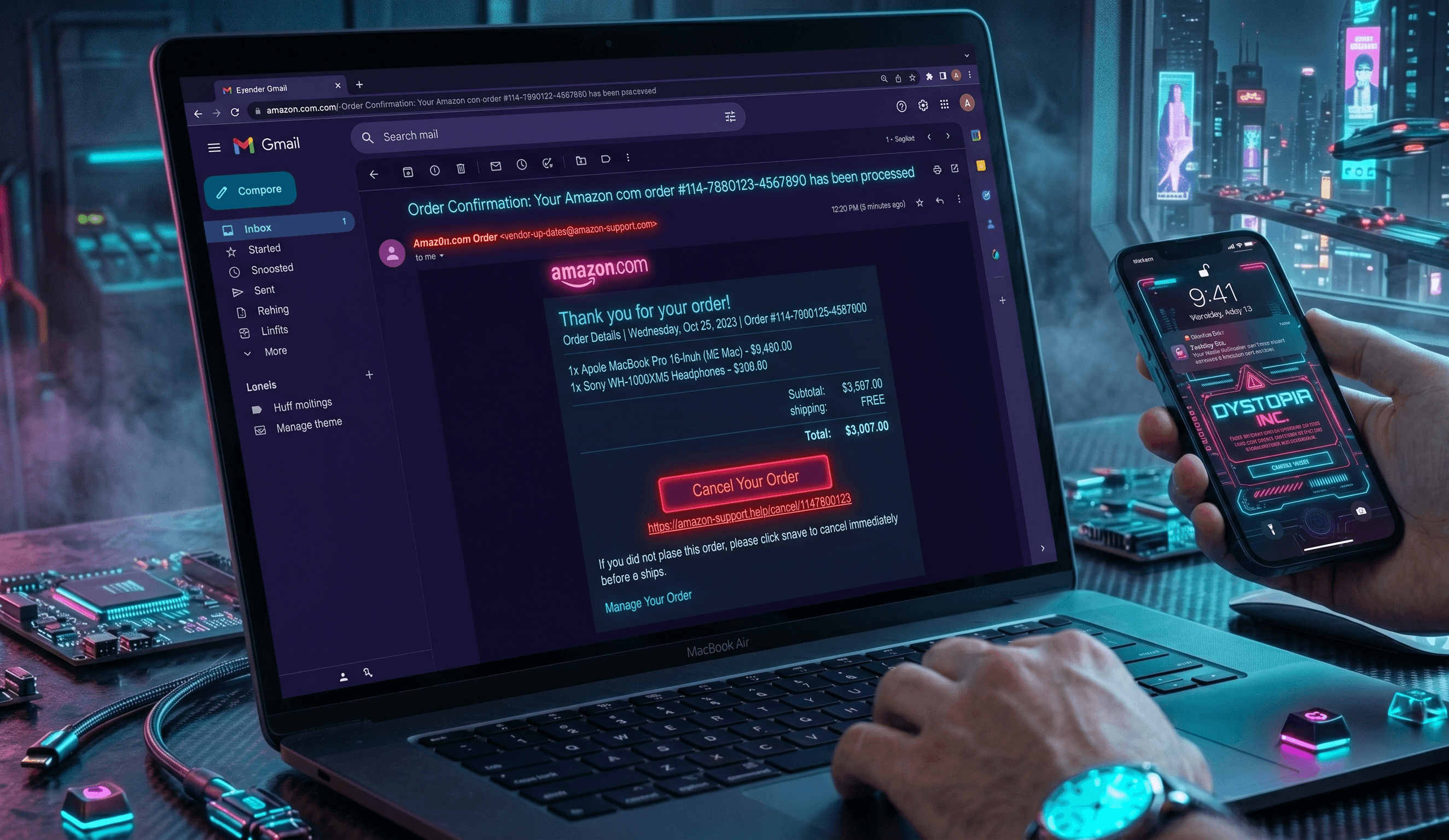
If you recently received an email thanking you for an Amazon order you never placed, you are not alone. The Amazon fake order confirmation email scam is one of the most widespread phishing attacks in 2026, and it is specifically designed to panic you into calling a fake support number or clicking a poisoned link. Here is exactly how the scam works, what to watch for, and what to do if you already engaged.
How the Amazon Fake Order Confirmation Email Works
The scam starts with an email that looks almost identical to a real Amazon receipt. It uses the Amazon logo, matches the formatting of a genuine order confirmation, and lists an expensive item you supposedly purchased, often a MacBook Pro, iPhone, PlayStation, or gift card package totaling between $499 and $1,299. The sender address is spoofed to look like auto-confirm@amazon.com or a similar variation, but the real domain behind it is a lookalike like amzn-orders.info or amazon-billing.support.
The email includes a large customer service phone number and a line that reads something like, "If you did not authorize this purchase, call us immediately at 1-888-XXX-XXXX to cancel and receive a full refund." When you call, a scammer posing as Amazon support answers. They sound professional, pull up a fake order on their end, and then claim they need to verify your identity or process a refund. This is where the real attack begins.
The fake agent asks you to download remote access software like AnyDesk, TeamViewer, or UltraViewer so they can "help cancel the order." Once connected, they can see your screen, your banking tabs, and your saved passwords. In many versions, they claim they accidentally refunded too much money and need you to send the difference back through gift cards, wire transfer, cryptocurrency, or cash shipped in a book. In other versions, they quietly drain your bank account while you watch a fake loading screen.
A second variation skips the phone call entirely. Instead, the email contains a "Cancel Order" or "View Invoice" button. Clicking it takes you to a convincing fake Amazon login page that steals your credentials, then asks for your full credit card, billing address, and Social Security number to "verify" your account.
Red Flags to Watch For
- The email arrives for an order you absolutely did not place
- Amazon will never ask you to call a phone number to cancel an order, install remote software, or pay a refund using gift cards
- The sender domain is not exactly amazon.com (check the full address, not just the display name)
- The email uses urgent language like "Cancel within 24 hours" or "Unauthorized charge pending"
- Phone numbers are displayed prominently in large text or images
- The "order" is for an unusually expensive item to maximize panic
- Links hover to reveal URLs that are not amazon.com
- Grammar or spacing errors appear in the fine print
Real Victim Report
One Tulsa, Oklahoma resident reported to the FTC that she received an emailed receipt for a $1,299 MacBook Pro charged to her Amazon account, panicked, and called the support number listed. The scammer walked her through installing remote desktop software to "process the refund," then convinced her she had been overpaid $4,000 and needed to return the difference in Target gift cards. She lost $3,800 before her daughter realized the email was fake and the Amazon order never existed.
What To Do If You've Been Targeted
- Do not call any phone number listed in the suspicious email, and do not click any links or buttons inside it.
- Forward the email to stop-spoofing@amazon.com and then delete it from your inbox.
- Log in to Amazon directly by typing amazon.com into your browser and check Your Orders. If no suspicious order appears, the email is fake.
- If you already called, installed remote software, or shared information, disconnect the device from the internet, uninstall the remote access tool, and run a full antivirus scan.
- If you sent money or gift cards, contact your bank or card issuer immediately to request a chargeback, and save the receipts for the gift cards since some retailers can freeze unspent balances.
- Report the scam to the FTC at reportfraud.ftc.gov and file a complaint with the FBI Internet Crime Complaint Center at ic3.gov.
- If you shared personal details like your Social Security number or banking info, place a fraud alert with Experian, Equifax, and TransUnion, and consider enrolling in an identity protection service like Aura (aura.com/recentscam) to monitor your credit, SSN, and dark web exposure.
How To Protect Yourself Going Forward
Always verify orders by opening the Amazon app or typing amazon.com directly into your browser. Never trust a phone number, link, or attachment inside an unsolicited email, even if the branding looks perfect. Turn on two-step verification in your Amazon account settings so stolen passwords alone cannot be used to log in. Finally, remember a simple rule: legitimate companies do not refund money using gift cards, wire transfers, or cryptocurrency, ever. If anyone asks you to, it is a scam 100 percent of the time.